View and Filter Reservations using Rate Plan/Package Code
Stay is enhanced to allow users to filter reservations using the rate plan/package code used for the first night of stay. This feature allows users to filter the reservations that come in to Stay through ACRS.
This enhancement allows users to filter reservations using the rate plan/package code used in the following screens:
-
Batch Operations ➜ Registration Card
-
Batch Operations ➜ Check-In
-
Batch Operations ➜ Deposit Due
-
Batch Operations ➜ Batch Edit
-
Batch Operations ➜ Settle & Check Out
This enhancement is not applicable for the properties that use federated rates, or if the rates are managed externally.
Batch Operations ➜ Registration Card
Users can filter reservations using the Rate/Package Code filter option on the Registration Card tab on the Batch Operations screen. Based on the rate plan/package selected, the reservations created using the selected code for the first night of stay are retrieved and displayed. The Rate Code column displays the rate plan/package code of these reservations. This column can be sorted.
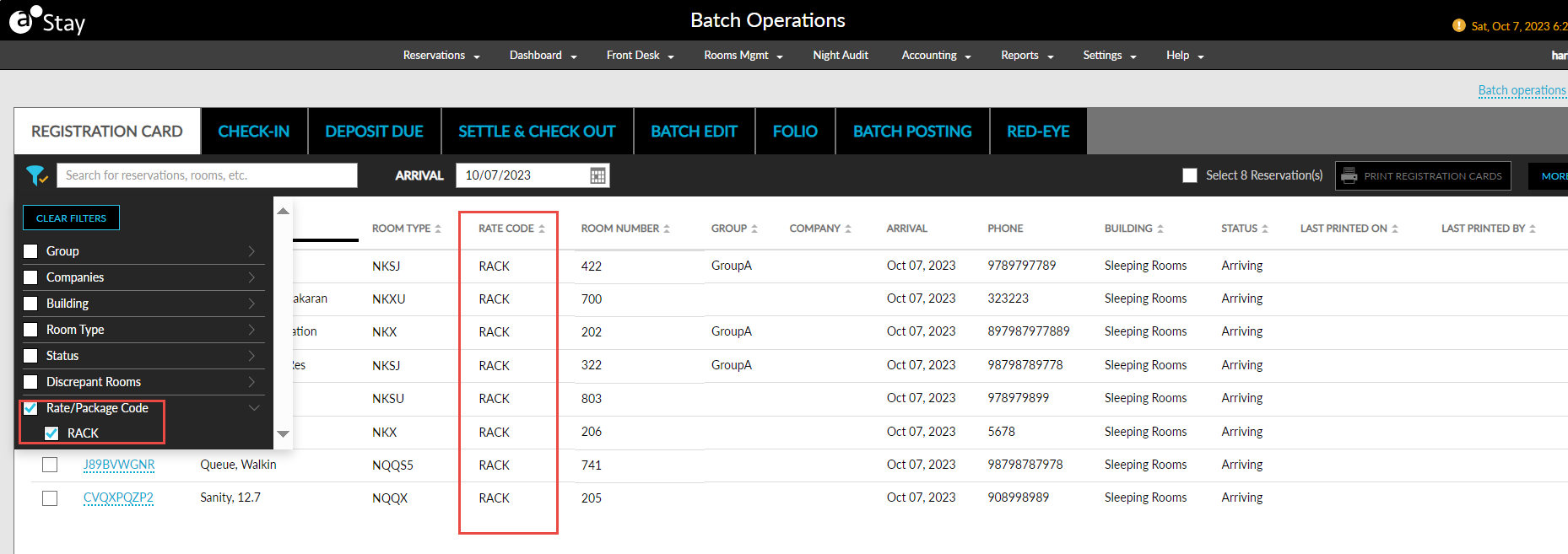
Batch Operations ➜ Check-In
Users can filter reservations using the Rate/Package Code filter option on the Check-In tab on the Batch Operations screen. Based on the rate plan/package selected, the reservations created using the selected code for the first night of stay are retrieved and displayed. The Rate Code column displays the rate plan/package code of these reservations. This column can be sorted. When the selected reservations are printed, the Rate Code column is not displayed in the printed report.
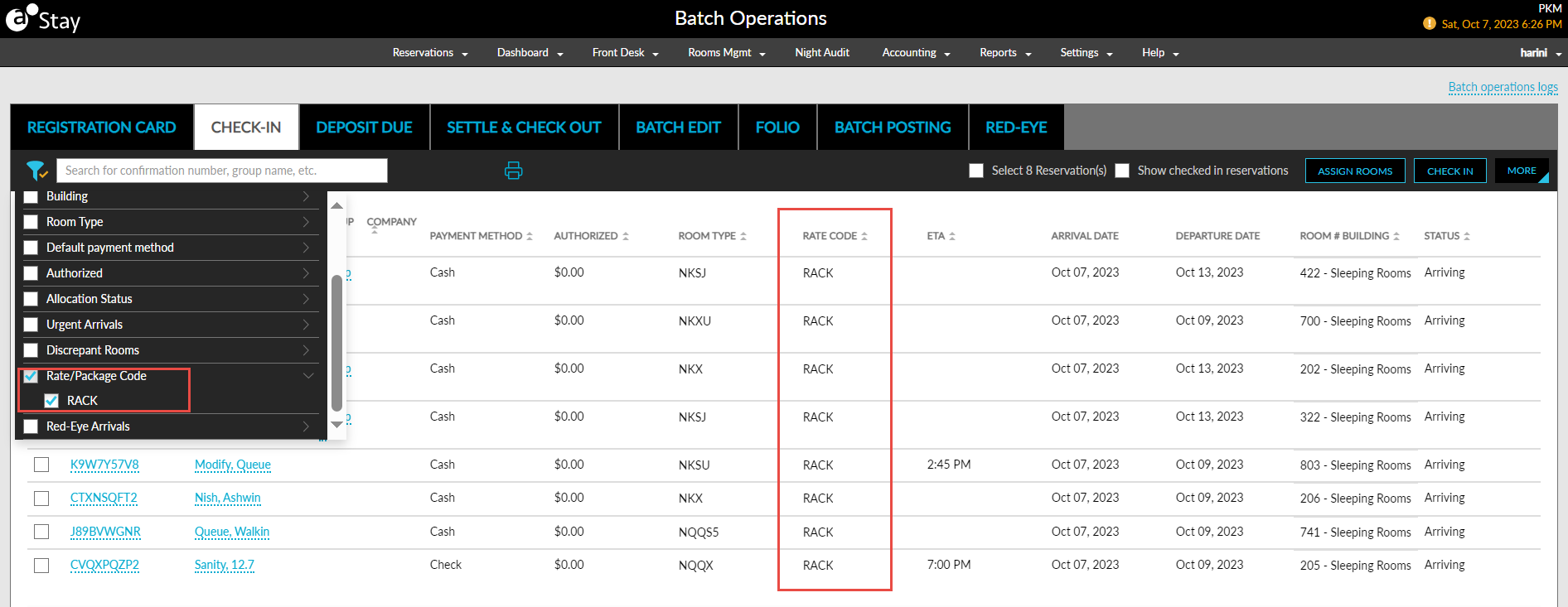
Batch Operations ➜ Deposit Due
Users can filter the reservations using the Rate/Package Code filter option on the Deposit Due tab on the Batch Operations screen. Based on the rate plan/package selected, the reservations created using the selected code for the first night of stay are retrieved and displayed. The Rate Code column displays the rate plan/package code of these reservations. This column can be sorted.
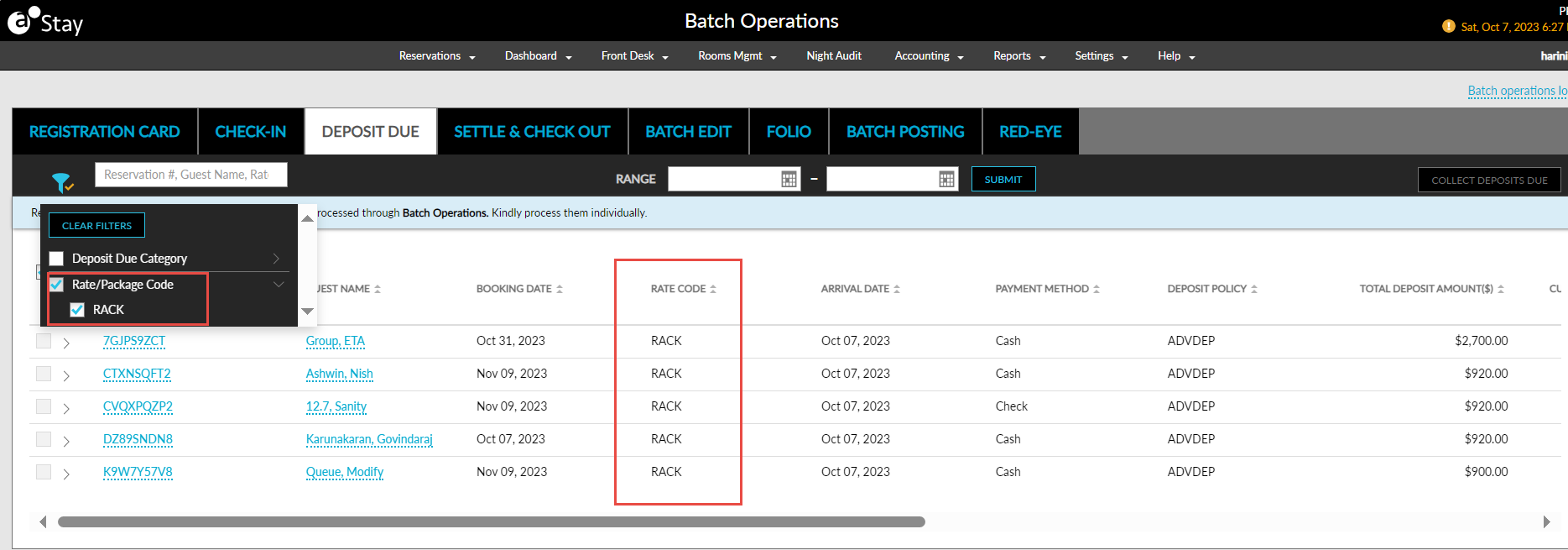
Batch Operations ➜ Batch Edit
Users can filter reservations using the Rate/Package Code filter option on the Batch Edit tab on the Batch Operations screen. Based on the rate plan/package selected, the reservations created using the selected code for the first night of stay are retrieved and displayed. The Rate Code column displays the rate plan/package code of these reservations. This column can be sorted.
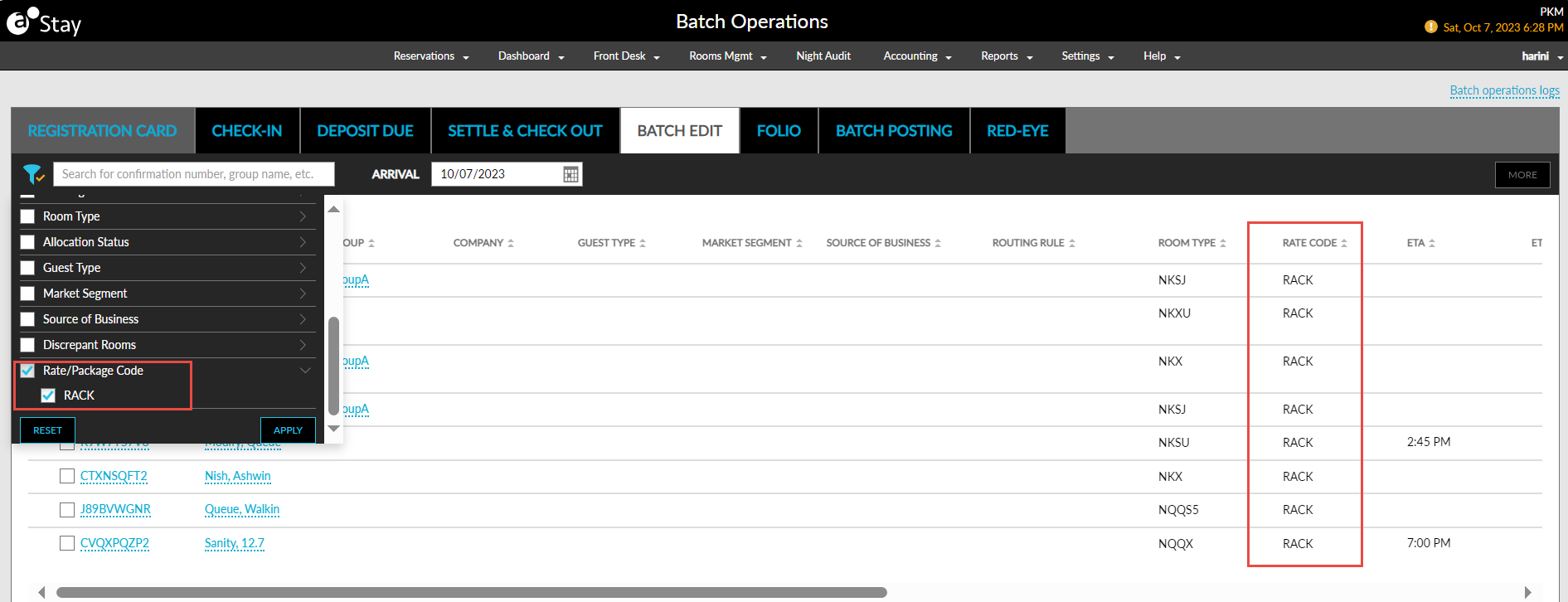
Batch Operations ➜ Settle & Check Out
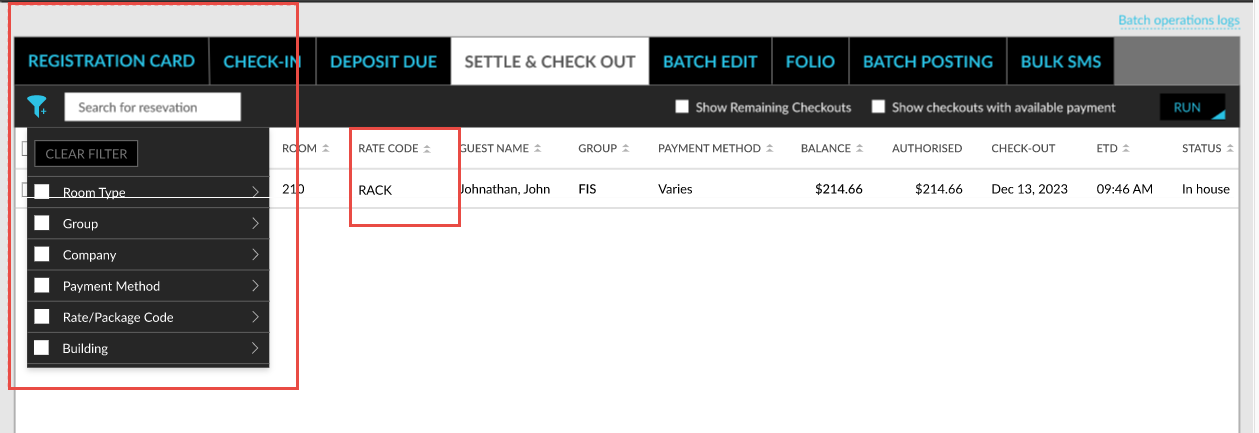
Users can filter reservations using the Rate/Package Code filter option on the Settle & Check Out tab on the Batch Operations screen. Based on the rate plan/package selected, the reservations created using the selected code for the first night of stay are retrieved and displayed. The Rate Code column displays the rate plan/package code of these reservations. This column can be sorted. Users can choose to add/remove this column from the Set Column Preference screen (More ➜ Set Column Preference).
Viewing Reservations in Other Screens and Reports
When users search for a record in the Search field on the Lost and Found screen and when logging a ticket for the items that are lost or found, the rate plan code used for the first night of stay is retrieved and displayed.
Users can filter reservations using the Rate/Package Code filter option on the following reports:
-
Arrivals Report (Dynamic)
-
Departures Report (Dynamic)
-
Reservations Report (Dynamic)
Based on the rate plan/package selected, the reservations created using the selected code for the first night of stay are retrieved and displayed in the mentioned reports.
The Redemption Stays column next to the Comp Rooms column on the Property section of the On the Books Report (Dynamic) displays the total number of redemption stays in the property for the selected date range. The reservations created using rate plans/packages for which offers were redeemed are denoted as redemption stays.
Users can also track the information related to redemption stays in the Redemption Stays Report (Dynamic). The data is displayed in this report only if redemption stays are created through ACRS and sent to Stay.
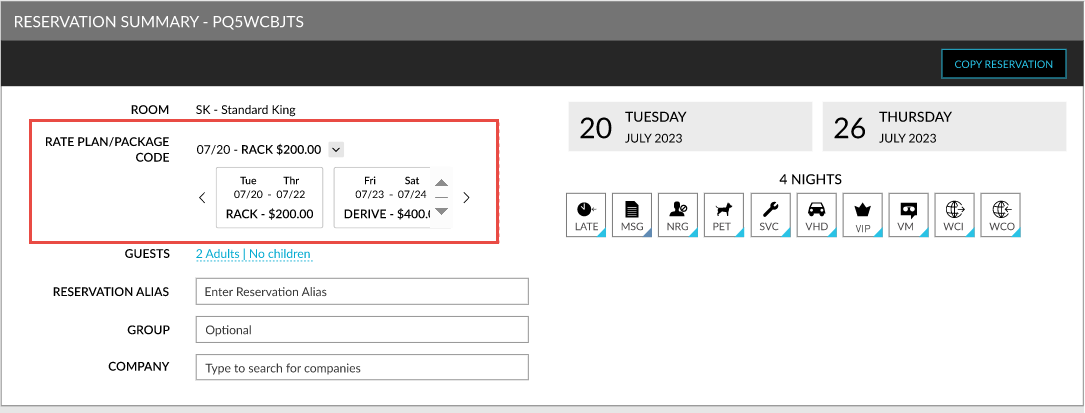
The rate plan/package code used for the first night of stay of the reservation (one night stay) is displayed in the Rate Plan/Package Code field on the Reservation Summary section of the reservation. For multiple stay nights, users must expand the first night’s rate plan/package code to view the details for the remaining stay dates. In case the rates are updated, or comp offers are applied, the updated rate is displayed in this field.
To support this enhancement, the following changes have been made:
-
A new filter option, Rate/Package Code, and a new column, Rate Code, has been added to the following screens and reports:
-
Batch Operations ➜ Registration Card
-
Batch Operations ➜ Check-In
-
Batch Operations ➜ Deposit Due
-
Batch Operations ➜ Batch Edit
-
Batch Operations ➜ Settle & Check Out
-
Arrivals Report (Dynamic)
-
Departures Report (Dynamic)
-
Reservations Report (Dynamic)
-
-
A new column, Redemption Stays, has been added to the On the Books Report (Dynamic) that displays the total number of redemption stays in the property for the selected date range.
-
A new report, Redemption Stays Report (Dynamic), has been introduced to track details of redemption stays.
-
A new field, Rate/Package Code, has been added to reservations that displays the rate plan/package code used for the first night of stay.
-
A new filter, Rate/Package Code, has been added to the Search screen that allows users to filter reservations based on their rate plan/package code.